![Wing_Blue.svg]](https://flexhelp.con-linq.com/hubfs/Wing_Blue.svg)
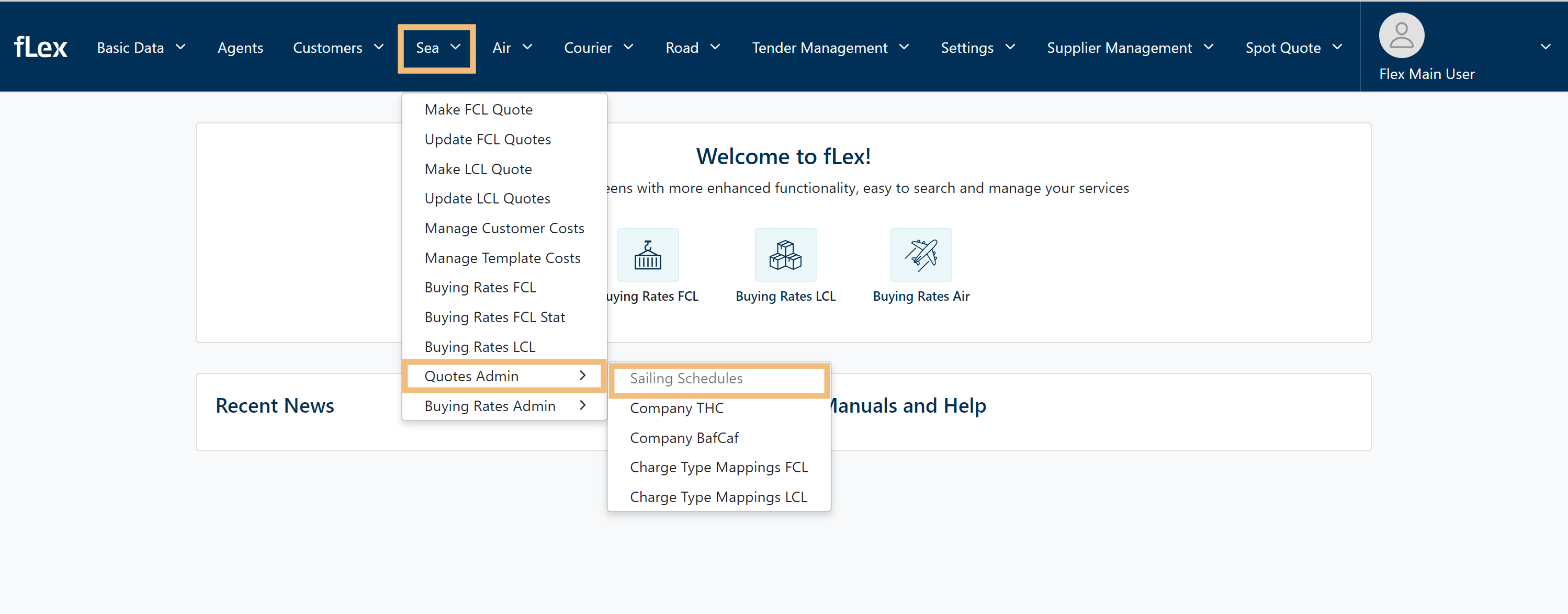
Start off by a simple mouse-over on SEA → Quotes Admin → Sailing Schedules
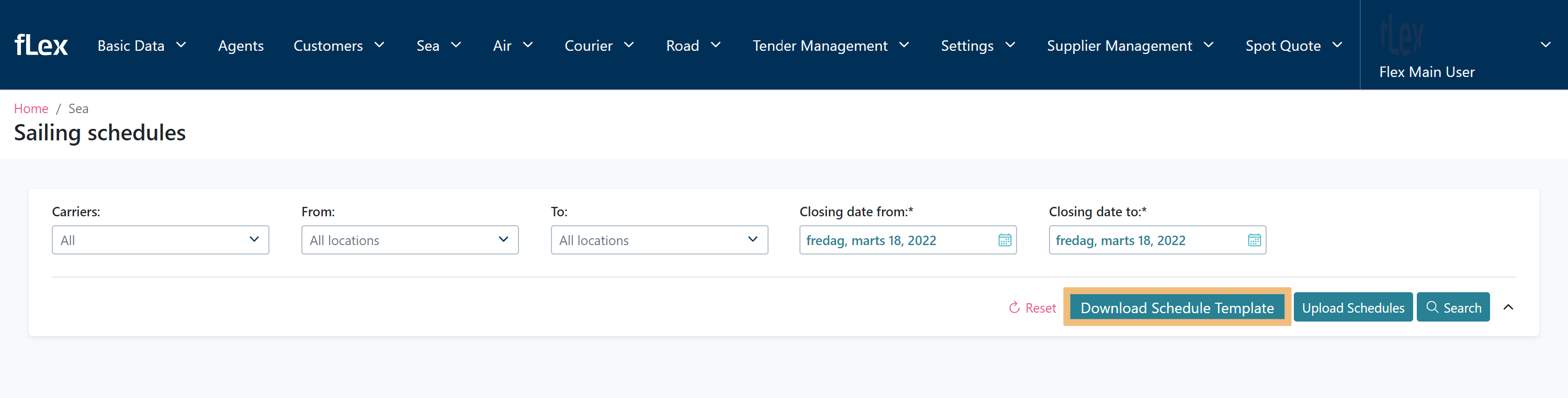
You're now in the Sailing schedules menu, from here press Download Schedule Template
When you have downloaded the template: fill in the data and save the document
(Be aware: if you only wish to update you may only edit in the yellow marked area; Estimated Departure Date and Estimated Arrival Date)

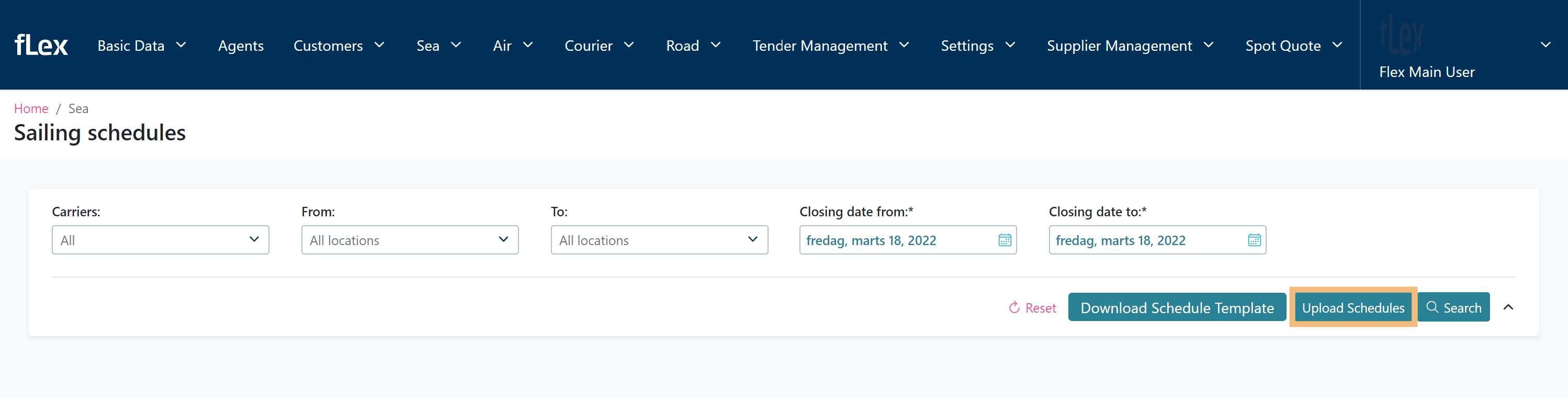
When you are done filling in the document head onto Flex again, then press Upload Schedules
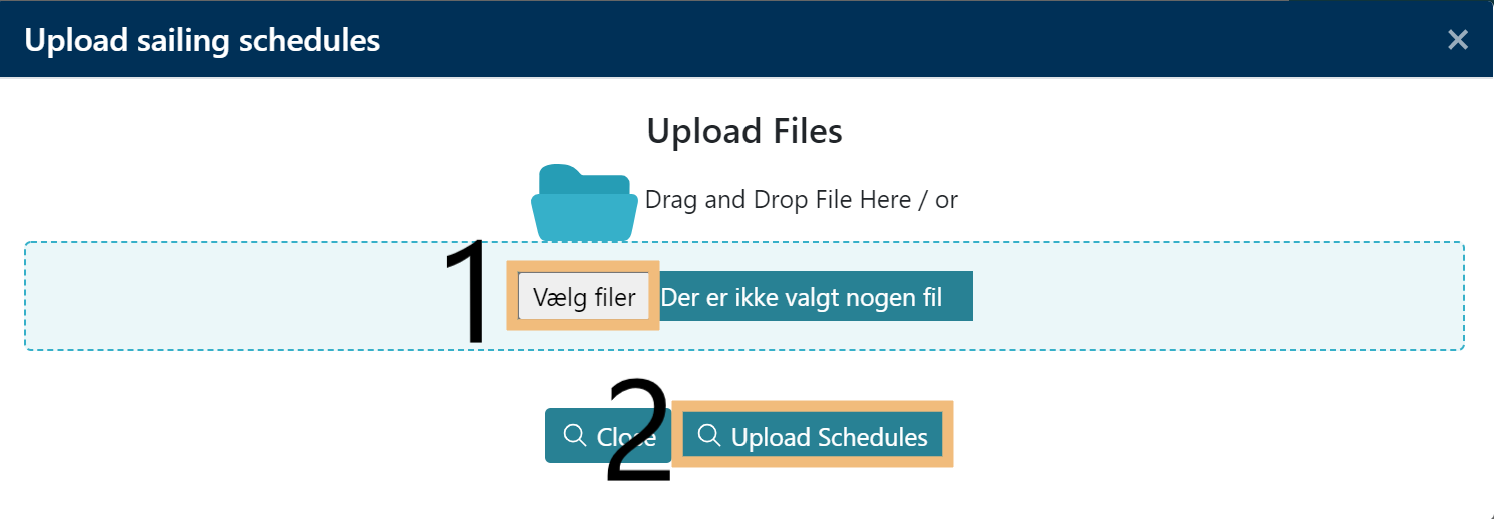
- press Chose file; then find the document you just created
- Finish of by pressing Upload Schedules